


Meta Tags Sound Simple (But They're Not)
Meta tags seem straightforward at first. You write a title, add a description, and call it done. That's where most people go wrong. It's not that meta tags are complicated — they're just misunderstood. The title tag and meta description are the first impression your page makes to search engines AND to the people looking at search results. Get them wrong, and you're basically invisible.
We've reviewed hundreds of websites over the past few years. The mistakes repeat. The same problems show up again and again. Some are easy fixes. Others require rethinking your entire approach to how you present your content.

Mistake #1: Title Tags That Are Too Long or Too Short
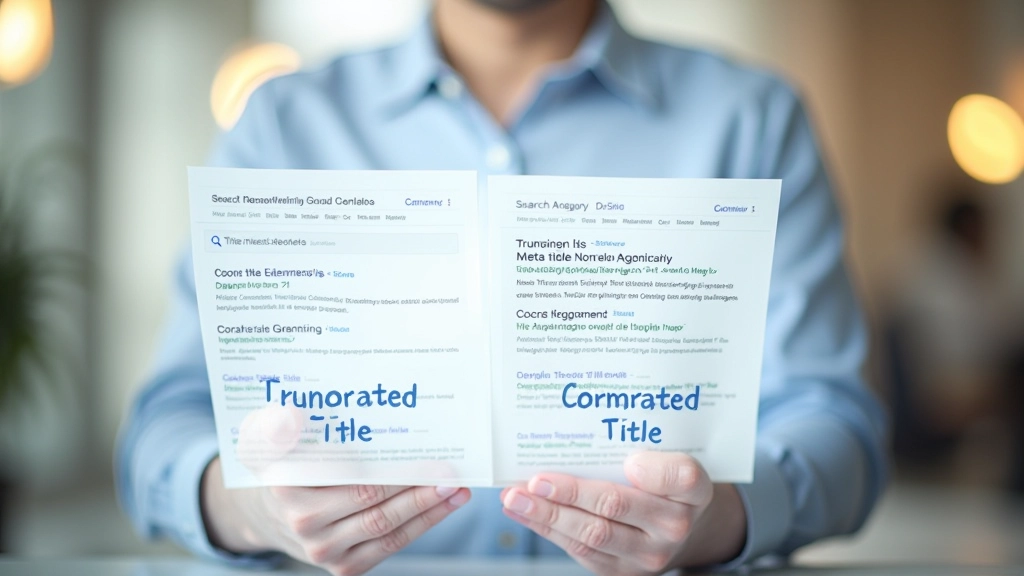
Your title tag should be between 50 and 60 characters. That's it. Anything shorter and you're wasting real estate. Anything longer and Google cuts it off.
Here's what happens: You write a 75-character title. It looks great on your screen. Then someone searches for your product on Google. They see "Best Digital Marketing Services for Small Businesses in Toronto — Our Agen..." The title's truncated. The reader doesn't see the rest. You've lost the chance to tell them something important.
The Sweet Spot
Aim for 50-60 characters. Your most important keywords should appear in the first 30 characters. This ensures they stay visible even on mobile devices where the display is narrower.
On the flip side, a title that's only 20 characters wastes space. "Buy Shoes Online" tells you almost nothing. "Affordable Running Shoes for Men | Athletic Performance" tells a story. It's 54 characters. Perfect.
Mistake #2: Meta Descriptions That Don't Describe Anything
Your meta description is your sales pitch. You've got 155-160 characters to convince someone to click your link instead of your competitor's link.
A lot of beginners write descriptions like this: "This page contains information about our products and services. Learn more about what we offer." That's boring. It could describe any company's website. It doesn't give the reader a reason to click.
Instead, be specific. Include a benefit. Show value. "Free shipping on orders over $50. Same-day delivery available in Toronto. Shop now and save 20% on your first purchase." That's 155 characters. That's compelling.
Weak Description
"Learn about our fitness classes. We offer personal training and group sessions."
Strong Description
"Small-group fitness classes for beginners. Expert coaches, flexible schedules. First session free. Join 300+ members in Ottawa."
Mistake #3: Duplicate Meta Tags Across Multiple Pages
Every single page needs a unique title tag and meta description. Copy-pasting the same tags across 10 pages doesn't save time — it damages your SEO.
Google sees duplicate meta tags and gets confused. It doesn't know which page should rank for which query. You end up competing with yourself. One page might rank when you wanted a different one to show up. This is especially common on e-commerce sites where products are similar.
If you have 50 products, you don't need 50 completely different descriptions. But "Blue Running Shoes" and "Red Running Shoes" need different tags. The key difference should be in the title and description.
Audit your site: Check how many pages share identical tags
Prioritize high-traffic pages first: Fix tags on your most important pages
Use a template with variables: Automate unique tags for product pages

Mistake #4: Forgetting Keywords (But Not Forcing Them)
Your target keyword should appear in your title tag. It doesn't need to be the entire title, but it should be there. Naturally.
A lot of beginners either ignore keywords completely or stuff them in awkwardly. "Keyword keyword keyword | cheap keyword service keyword" reads like spam. Google notices. Humans notice. Nobody clicks on it.
Your title should read naturally to a human AND include your main keyword. "Best Digital Marketing Agency in Toronto" works. "Digital Marketing Toronto — Affordable SEO Services" works. Both include the target phrase. Both read like real titles.

How to Fix These Mistakes Right Now
If you're already making these mistakes, don't panic. You can fix them. Here's the process:
Export Your Current Tags
Use a tool like Screaming Frog or a simple Google Sheets export to see what you're currently using. You need to know what's broken before you can fix it.
Prioritize High-Traffic Pages
Don't fix every page at once. Start with your top 20 pages by traffic. These are the pages already getting attention. Better tags will improve your click-through rate immediately.
Rewrite and Test
Write new titles (50-60 chars) and descriptions (155-160 chars). Include keywords naturally. Check your work before publishing.
Monitor Click-Through Rates
Give it 2-3 weeks. Check Google Search Console to see if your click-through rate improves. Better tags usually mean more clicks from the same search traffic.

The Real Impact of Meta Tags
You can have the best content on the internet, but if your meta tags don't convince people to click, you won't get the traffic. Meta tags aren't just for SEO anymore. They're your headline. They're your first chance to make a good impression.
Getting them right takes a little effort. But the payoff is real. Better click-through rates from search. More qualified visitors. And yes, better rankings over time because Google notices which results people actually click on.
Results vary depending on your industry, competition, and current rankings. But one thing's consistent: pages with well-written meta tags outperform pages with generic or missing tags. Every single time.